
Watch a quick walkthrough or book a demo
Request successful.
Our team will contact you within one business day.
Pick a time that works for you and we'll send the invite.
Oops! Something went wrong while submitting the form.
Sign-up successful!
Check your inbox for a link to activate your free Perdoo account.
All resources
Blog

Productivity

Strategy & Goals

HR
Introducing Perdoo 3.0 — Simpler, faster, and way more powerful

Henrik van der Pol
4
min
read
Executing strategy is complex. The software you use to support it shouldn’t be.
That’s why we’ve been working on Perdoo 3.0: a major new version of Perdoo that makes it easier to navigate around your goals and strategies, focus on what matters, and adapt the platform to how your organization works.
Perdoo 3.0 brings a consistent experience across the entire product, expands the ways you can connect strategy, goals, and work, and delivers major performance improvements.
As of today, new signups will immediately get access to this new version!
Existing customers can request early access via their Customer Success Manager or support@perdoo.com.
One consistent experience across Perdoo
As Perdoo has grown, different parts of the product have evolved in different ways. This created powerful functionality, but it also meant that views, filters, and navigation didn’t always work consistently.
Perdoo 3.0 changes that.
We’ve harmonized the experience across the product, so the same tools and patterns are available wherever you work. Once you know how to use one area of Perdoo, you’ll know how to use the others.
The newly added breadcrumbs at the top make navigation easier.
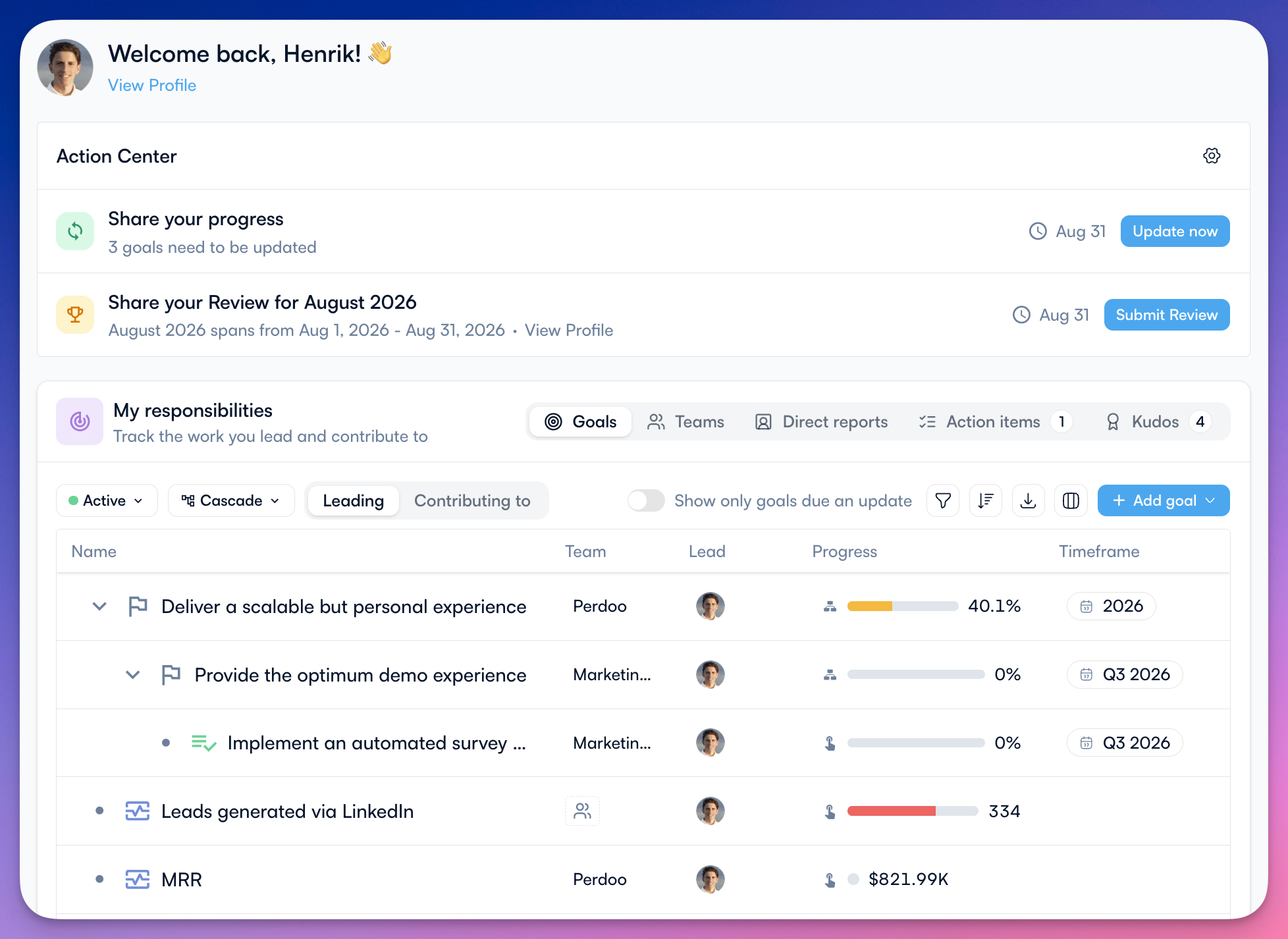
Choose the view that works for you
Cascade, Map, and Board views are now available throughout Perdoo and across all goal types.
These are now the main views on Home, Team and User Profiles, and Explore. This also means that the new powerful filtering and column-customization options are available everywhere, allowing you to build exactly the views that you want.
- Cascade is a customizable table view that lets you see the most important data points and attributes for your goals. Re-ordering is available for all goal types, including Objectives.
- Map shows you less data but provides a visual overview of how your strategy, and the goals supporting it, connect.
- Board enables you to see how any combination of goals performs over time. KPI Boards have now become the new Board view, compatible with all goal types.
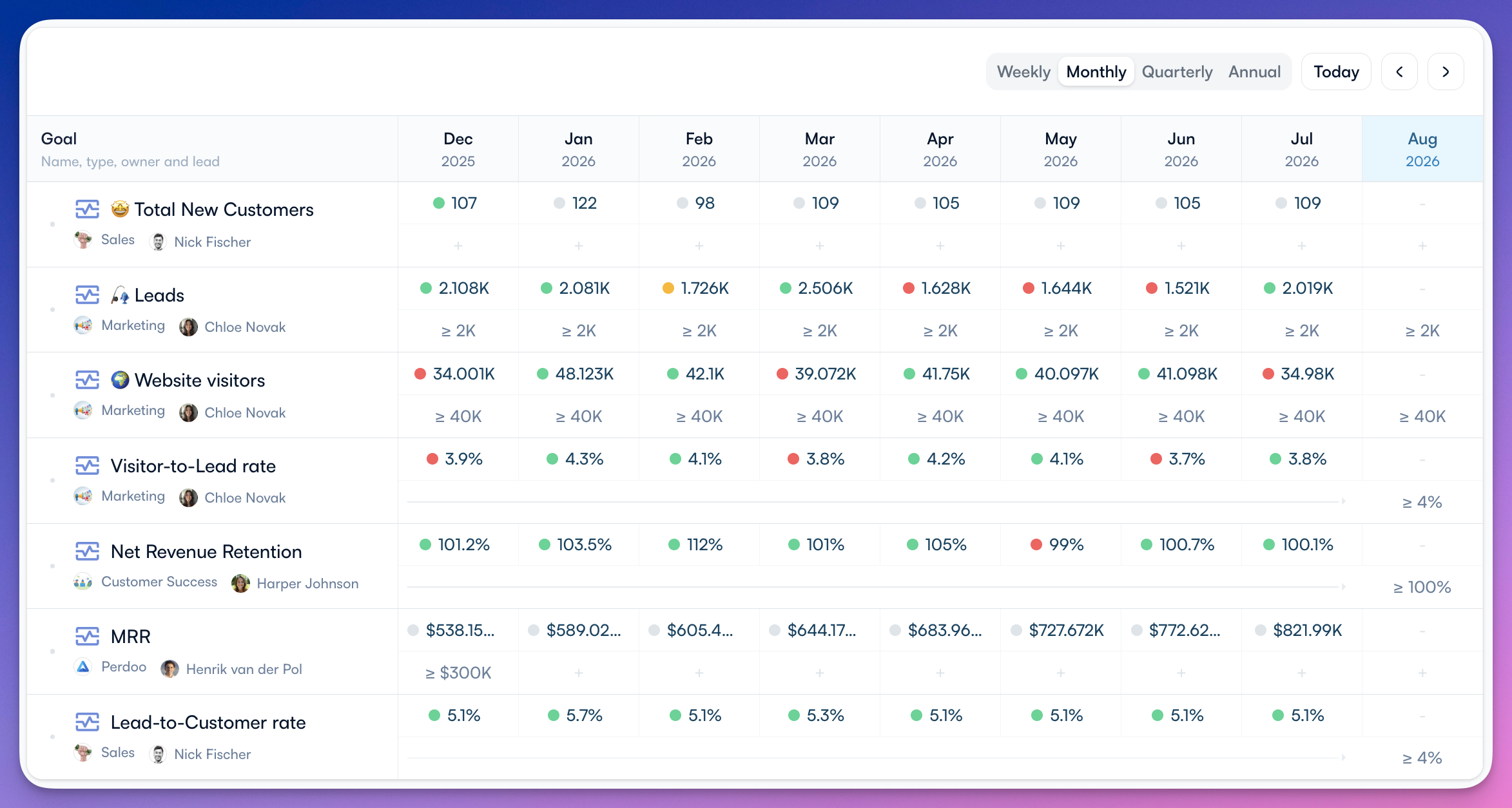
In the future, we may add even more views like GANTT and Kanban.
More flexibility to model how your organization works
Strategy execution isn’t one-size-fits-all. Perdoo 3.0 introduces new capabilities that let you represent the relationships between strategy, goals, metrics, and work more accurately.
1. Teams for Key Results and Initiatives
Previously, Key Results and Initiatives could only be assigned to a Lead and Contributors, but not to a team. Perdoo 3.0 adds Team ownership to both.
This makes responsibility clearer and helps everyone understand which part of the organization is accountable for delivering a Key Result or completing an Initiative.
2. Weekly KPIs + Binary KPIs
So far, you could only track monthly, quarterly, and annual KPIs on Perdoo. By popular demand, we’ve now also added the ability to track weekly KPIs.
Target type for KPIs was missing the option Binary, which is now also sorted.
3. Initiatives for KPIs
Initiatives can now also support KPIs, not just Objectives or Key Results, allowing you to track the ongoing work that goes into maintaining KPIs on Perdoo.
Is a KPI off track? Before you create an OKR to fix it, first check if all the business-as-usual work has actually been done.
4. Standalone Initiatives / Projects
Not every project needs to sit under a goal. In Perdoo 3.0, Initiatives no longer require a parent.
You can now track important work as a standalone Initiative while still giving it an owner, a lead, and visibility in Perdoo.
And I’m sure you see what might be coming next… 😉
5. Personal Tasks
In addition to Tasks for Meetings, you can also manage your personal tasks on Perdoo 3.0. Go to Home > Tasks and start adding your personal tasks.
In November, we'll release Tasks for Initiatives/Projects as well as a dedicated Project & Task Management Module!
6. Nested Strategic Pillars
Strategic Pillars can now be aligned with other Strategic Pillars.
This lets larger or more complex organizations connect strategies across levels. For example, a department-level strategy can sit beneath and support a corporate strategy, without forcing either one into the structure of an OKR.
The result is a more accurate Strategy Map that shows how strategic choices across your organization fit together.
7. Attachments & Images
We've upgraded the text editor and made it super easy to attach files and images to your progress updates, goal descriptions, meeting notes, and pretty much any other place where you can input text.
8. Drafting + Closing for KPIs
Unlike OKRs, KPIs couldn’t be closed or assigned a Draft stage (to indicate that these aren’t final yet). With Perdoo 3.0, you can set KPIs in Draft as well as close them when they’ve become irrelevant.
Just as with OKRs, you can set up a closing template to capture the right information when your people close their KPIs.
9. Ability to convert goals
Created an Initiative that, in hindsight, is better suited as an Objective? You can now easily convert your Initiative into an Objective by changing the goal type.
This was already possible for Initiatives and Key Results. It’s now available for all goal types.
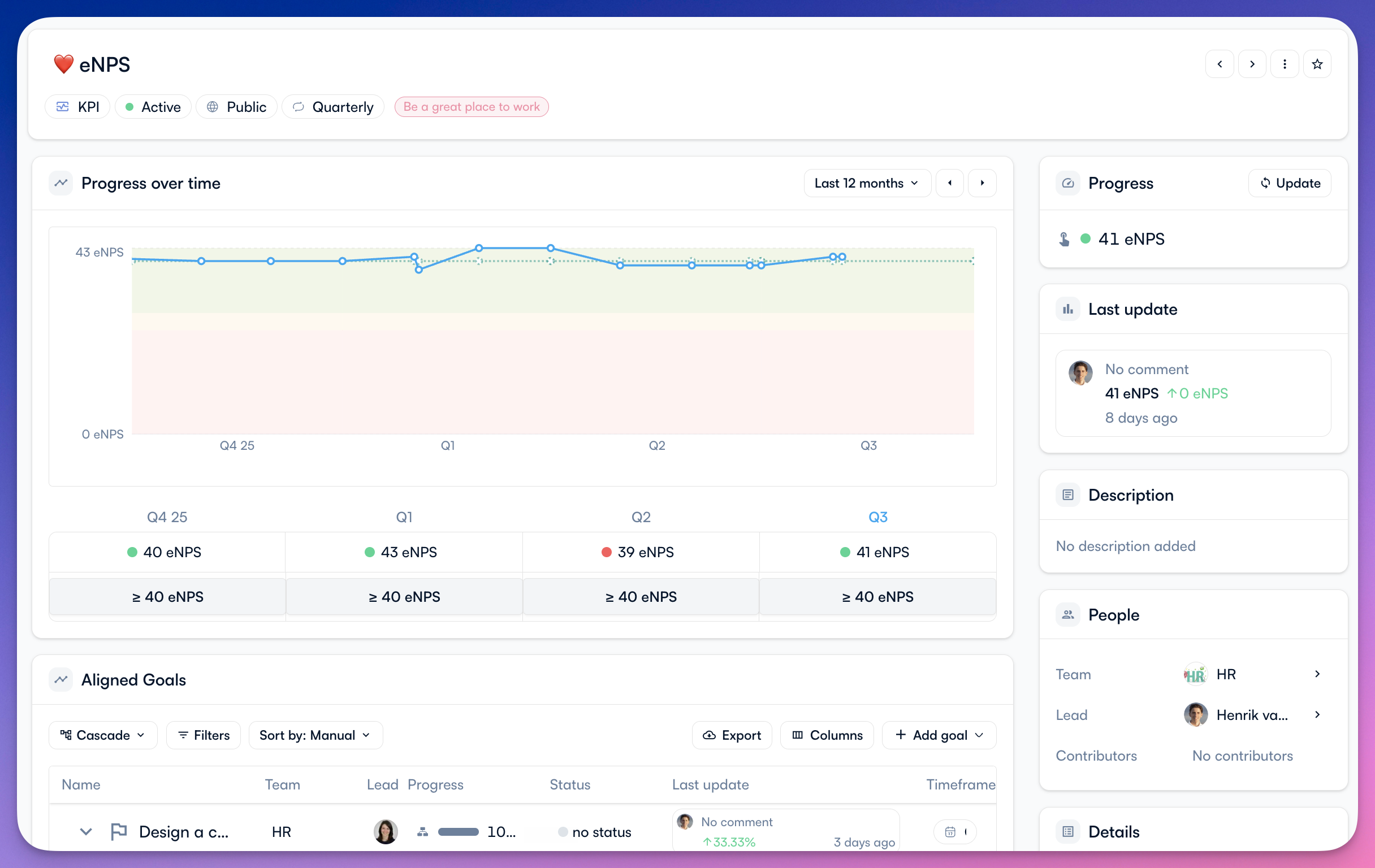
Redesigned goal details pages
Perdoo 3.0 also introduces brand-new goal detail pages. They bring the information, relationships, and actions for each goal together in a clearer and more focused experience.
It’s easier to understand a goal’s context, review its progress, and take action without jumping between different parts of the product.
Significantly faster
The improvements in Perdoo 3.0 aren’t limited to what you can see.
We’ve made major changes behind the scenes to improve performance across the product. Pages load faster, views respond more quickly, and moving around Perdoo feels smoother.
When Perdoo is part of your weekly operating rhythm, speed matters. Less waiting means more time for the conversations, decisions, and actions that move your strategy forward.
Ready to see what’s new?
Contact your Customer Success Manager or support@perdoo.com to request early access.
We can’t wait to hear what you think!

Ready to get started?
Free for up to 5 people.